Block Posters Alternatives for Printing Large Images
Block Posters gives you a short route from an image to a poster: upload, choose a width in sheets, and preview the result. But a larger file, an unwanted watermark, or a frame with fixed dimensions can send you looking for another tool.
This guide compares alternatives to BlockPosters.com. BlockPoster.net is a different product, and one of the alternatives below. Rasterbator.io, an independent project, publishes this comparison.
Make a free poster PDF without a watermark
The Block Poster Maker on Rasterbator.io keeps the image in your browser and creates a free PDF without a watermark. You can choose sheets wide or high, enter exact finished dimensions, set margins and overlap, and inspect printed sheets before exporting. Local file and pixel limits still apply.
For halftone and other graphic effects, open the Rasterbator.io editor. Rasterbator.org accepts PDF pages and offers JPG-tile ZIP downloads; Rasterbator.io accepts image files and exports a tiled PDF.
If you are making the poster on a phone
Rasterbator.io's size controls, printed-sheet preview, and PDF creation screen fit a narrow display without page-wide horizontal scrolling. Rasterbator.net keeps a 960 px editor with the preview off to the right. Rasterbator.org and BlockPoster.net also adapt their settings and previews to the screen.
Block Posters' upload page fits, though ads occupy large parts of the screen. Only its upload page was checked at phone width. These observations use a 390 × 844 CSS-pixel viewport in desktop Chrome; phone exports were not tested.
What does the free Block Posters option allow?
In our October 1, 2026 checks, Block Posters advertised “2.5 MB” uploads and a width of one to five sheets for free. Premium offered “5 MB” uploads, widths of up to ten sheets, and watermark removal. Five sheets wide is not five sheets total. A tall image can still use many rows.
If your image is too large to upload
Our test files put the free boundary at 2,560,000 bytes. A larger file triggered Premium, and 5,120,001 bytes was rejected. Those are file-size checks, not measurements of exported image quality; paid processing was not tested.
Rasterbator.io can open images up to 250 MiB, 250 MP, and 32,768 pixels per side. Creating a PDF locally has a separate limit of 100 MiB, 100 MP, and 16,384 pixels per side. All three limits apply together. Larger images may need optional server processing, with sign-in, an available credit, and your confirmation before upload. A file loading successfully does not guarantee that every layout will export on your device.
BlockPoster.net also loaded a 72 MB, 6,000 × 4,000 PNG. Its advertised lack of a file-size cap does not guarantee that your browser has enough memory for any image or export.
If you want a free PDF without a watermark
Rasterbator.io does not add a watermark to locally created posters. Rasterbator.org and BlockPoster.net advertise watermark-free output; BlockPoster.net keeps single posters free and charges for its separate Pro features. Block Posters lists watermark removal as a Premium feature. We did not inspect the competitors’ downloaded PDFs, so their published policies should not be read as an output-file audit. Rasterbator.net was free to use, but its watermark status was not established in these checks.
If the poster has to fit a 60 × 90 cm space
If the poster must fit a frame, wall space or measured template, start with its dimensions in centimeters or inches. Rasterbator.io's Exact size mode keeps the finished poster at your chosen dimensions and calculates the sheet layout from the paper, margins and overlap. Our 60 × 90 cm example used a 4 × 4 A4 layout. Measure a test print before relying on that scale for a pattern or plan.
For a rough wall display, specifying sheets wide may be enough. Rasterbator.net accepts fractional sheet widths or heights and shows the resulting dimensions. Block Posters uses a simpler width menu.
Paper size alone does not tell you the assembled image size. Three portrait A4 sheets span 63 cm before margins or overlap. Our three-sheet-wide previews showed 55.4 cm of finished image width in rasterbator.io, 57 cm in rasterbator.net and approximately 63 cm in Block Posters. The settings differed, so those figures are not a paper-efficiency ranking.
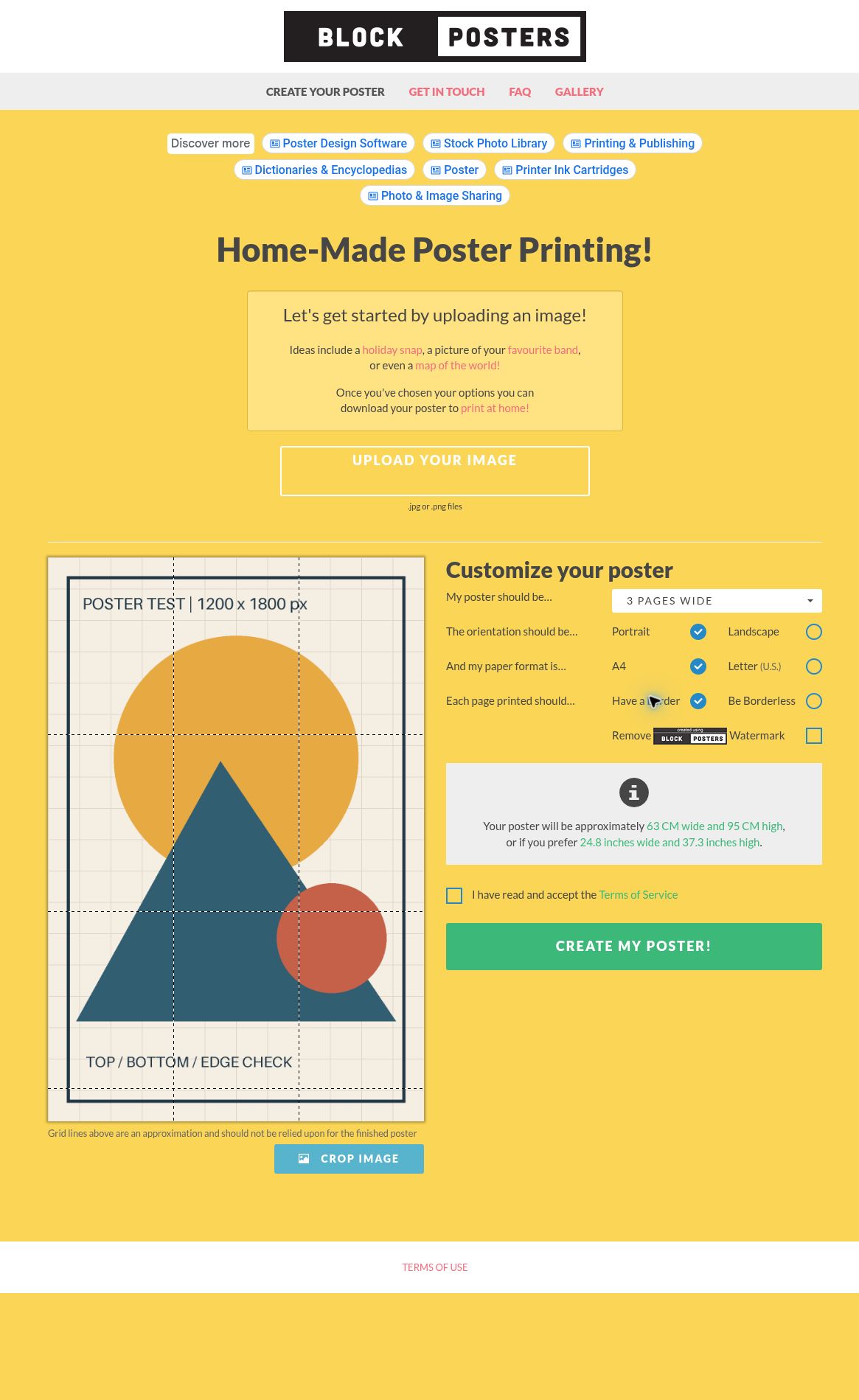
These previews explain the difference between choosing sheet count and choosing finished dimensions. They were made with different settings, not as a matched 60 × 90 cm print test. We did not measure a downloaded Block Posters PDF. Reducing the print scale afterward would also change margins and overlap; set the intended size before exporting.
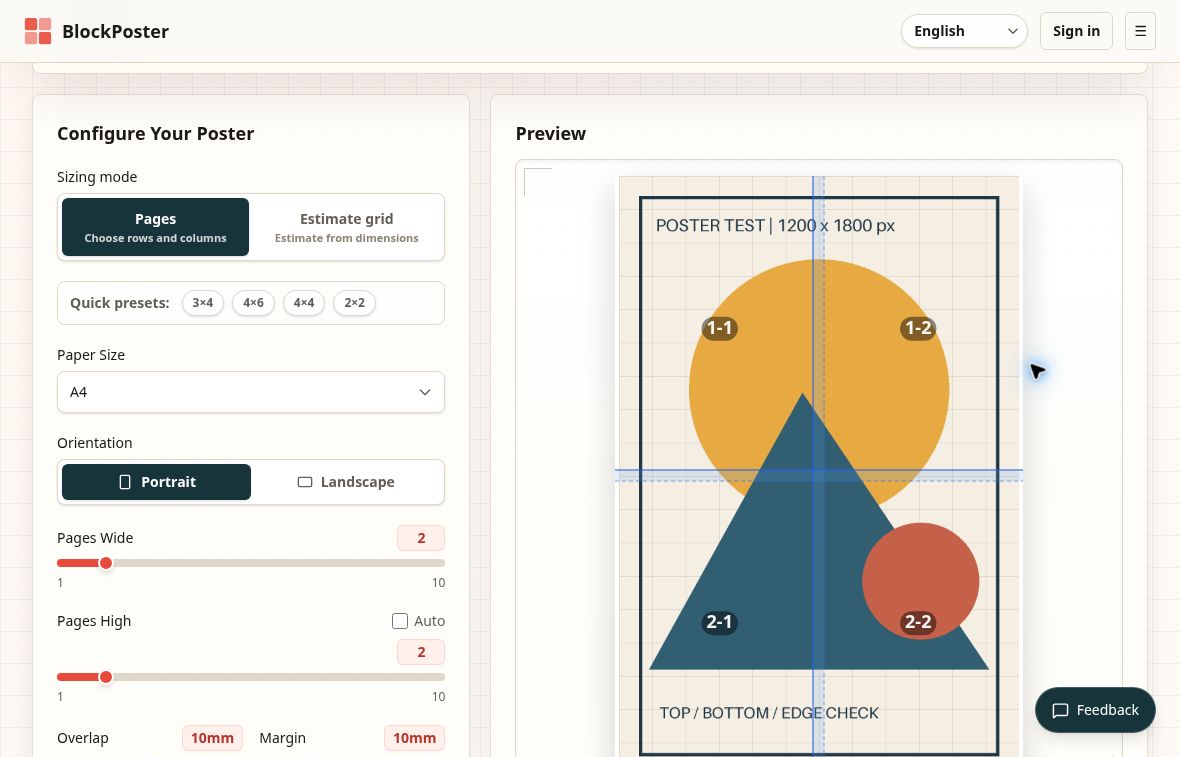
BlockPoster.net needs a different reading: its manual controls reach 10 × 10, but Estimate grid accepted a 1,000 × 1,000 cm request and previewed 56 × 38 sheets, or 2,128 pages. The resulting canvas was 1,009.0 × 1,015.6 cm. Use that feature to estimate a paper layout; it does not promise the exact requested artwork dimensions.
If you need overlap and cut marks
Overlap repeats a strip of the image on adjacent sheets so you can align them before taping. It reduces the unique image area contributed by each sheet and can change the page count. A blank margin serves a different purpose: it leaves unprinted space around the page.
Rasterbator.io includes overlap, cut guides, page labels, Fit/Fill controls, and printed-sheet previews. Rasterbator.org and BlockPoster.net also expose overlap settings. BlockPoster.net has individual page previews, print marks, and Fit or Fill: Fit keeps the whole image, while Fill crops edges to cover the grid. Check faces, lettering, and borders near the crop before exporting.
Block Posters has border and borderless calibration settings, but we did not find a dedicated overlap control. Rasterbator.net offers an optional 5 mm overlap, crop marks and page-position coordinates.
If you would rather keep the image on your device
Block Posters uploads the image. Its FAQ says uploaded images are deleted periodically, without giving a fixed retention period. Rasterbator.io, Rasterbator.net, Rasterbator.org, and BlockPoster.net describe browser-local processing for ordinary local-image use. Rasterbator.io asks for consent before optional server processing; Rasterbator.net’s URL import uses a server. Local image processing does not mean a site has no ads or analytics.
Before printing the whole poster
Match the PDF paper to the paper in your printer, then print one tile at Actual Size or 100%. Check scale, sharpness, clipping, and overlap before committing the rest of the paper and ink. Our Actual Size guide and assembly guide walk through those steps.
For a broader look at PDF input, source resolution, page limits, and artistic effects, read Rasterbator alternatives. To start with your own image, open the Block Poster Maker.
Try the RasterbatorWhat we tested
File limits, sizing controls, and published policies were checked on October 1, 2026. Tests covered file acceptance, sizing controls, and previews. Block Posters was checked through preview only. Small projects reached download-ready screens in the other four tools, but competitor PDF and ZIP contents, large exports, and physical prints were not inspected. No paid option was purchased. The figures above describe those checks; they do not establish current maximum export capacity or a print-quality ranking.