Rasterbator Alternatives for Printing Large Posters
If you're looking for a Rasterbator alternative, start with the finished dimensions, image detail, and how the sheets join. We compared five online poster tools using the same artwork and a set of file and layout checks.
What can you do with Rasterbator.io?
Rasterbator.io combines plain image tiling and rasterbation effects with exact finished dimensions, sizing by sheets, overlap, cut guides, page labels, and printed-sheet previews. Local PDF creation is free, needs no account, and adds no watermark.
Its local input and export limits are listed below. Those limits are substantially higher than Block Posters' free upload allowance, and its 2,500-page layout range exceeds the tested controls in Rasterbator.net and Rasterbator.org. Large jobs still depend on your device.
Rasterbator.org accepts a page from a PDF and offers a JPG-tile ZIP download. Rasterbator.io accepts image files and exports a tiled PDF. Each editor has its own style presets; check the preview if you want to reproduce a particular look.
Are Rasterbator.net, Rasterbator.org, and Rasterbator.io the same service?
No. They are separate services. Rasterbator.net is the classic Rasterbator in this comparison. Rasterbator.org has its own editor, styles, and PDF page input. Rasterbator.io publishes this guide and offers its own browser-local poster editor; it is not an official upgrade to either site. BlockPosters.com and BlockPoster.net are also separate products.
Can you make the poster on a phone?
Here's how the settings and previews fit a phone-sized screen:
| Tool | What worked at phone width |
|---|---|
| Rasterbator.io | Size controls, printed-sheet previews, and the PDF creation screen fit without page-wide horizontal scrolling. |
| Rasterbator.net | The editor stays 960 px wide. Its preview sits to the right of the visible screen and requires sideways scrolling. |
| Rasterbator.org | Paper & Size and Style adapt to the narrow screen without page-wide horizontal scrolling. |
| Block Posters | The upload page fits, but ads occupy large parts of the screen. Later steps were not checked at phone width. |
| BlockPoster.net | Grid settings and individual page previews fit without page-wide horizontal scrolling. |
Phone layouts were checked at 390 × 844 CSS pixels in desktop Chrome, using built-in examples where available. These observations cover layout and controls; phone exports were not tested.
File limits and print controls
| Parameter | rasterbator.io | rasterbator.net | rasterbator.org | blockposters.com | blockposter.net |
|---|---|---|---|---|---|
| Input formats | JPEG, PNG, WebP, static AVIF; native HEIC/HEIF in Safari, or HEIC/HEIF processing on servers | JPEG, PNG, GIF, WebP | JPG, PNG, PDF | JPG, PNG | JPG, PNG, WebP |
| Input file size | 250 MiB 1 | 40 MiB tested | 40 MiB tested | “2.5 MB” free; “5 MB” Premium 2 | No advertised limit; 72 MB PNG loaded |
| Source pixels | 250 MP · 32,768 px 1 | 100 MP image accepted 3 | Downsizes sides above 8,192 px | Maximum not established | 24 MP image accepted 3 |
| Page or grid limit | 50 × 50 = 2,500; ≤1,000 recommended | 1,000 sheets | 20 × 20 = 400 in tested controls | 1–5 sheets wide free; 6–10 paid | Manual 10 × 10; estimator goes higher 4 |
| Finished size control | Exact dimensions or sheet layout | Sheets wide/high, with size readout | Rows and columns | Sheets wide; approximate size | Manual grid or size-based grid estimate |
| Paper choices | A4–A2, US sizes, custom | A4–A2, US sizes, custom | A5–A1, US sizes, custom | A4, US Letter | A4, A3, US sizes |
| Overlap control | Yes | Yes, 5 mm option | Yes | None seen | Yes |
| Free or paid | Free local processing; signed-in server processing uses credits | Free; optional donation | Free | Free tier; paid Premium option | Free single posters; paid Pro subscription |
| Watermark policy | Watermark-free | Not established here | Watermark-free, per site | Removal requires Premium | Watermark-free single posters, per site |
1 You can open images up to 250 MiB, 250 MP and 32,768 pixels per side. All three limits apply. Local PDF creation supports up to 100 MiB, 100 MP and 16,384 pixels per side. When you create a PDF, larger images may need server processing, which requires sign-in, an available credit and your confirmation before upload. Completion also depends on your device and the chosen settings.
2 Both Rasterbator competitors label their limit “40 MB”; the tested PNG boundary was 41,943,040 bytes. Block Posters accepted 2,560,000 bytes free, requested Premium above that, and rejected 5,120,001 bytes. Paid processing was not tested.
3 Acceptance does not establish a maximum or preservation of every source pixel in the exported file.
4 BlockPoster.net previewed 2,128 sheets through Estimate grid. The manual 100-page range is not an overall cap. Large grids in this comparison were not exported.
Competitor free and paid options and published watermark policies were checked October 1, 2026. Competitor PDF/ZIP contents and physical prints were not inspected.
Check whether your file will load
PDF input is a real difference. Rasterbator.io accepts image files, while Rasterbator.org has a PDF page selector. We opened a two-page PDF and selected its second page. It became a 1,200 × 1,600 working image. That can be useful for enlarging a flyer or drawing, but do not assume the original vector detail or document scale survives the conversion. Multi-page batch conversion was not established.
For a phone photo, check the format before changing tools. All five list JPEG support. WebP is supported by rasterbator.io and worked in rasterbator.net and blockposter.net; rasterbator.org and blockposters.com rejected it. Rasterbator.io opens supported HEIC/HEIF photos locally in Safari. When your browser cannot decode a supported HEIC/HEIF photo, you can choose server processing instead.
For a large source, check bytes and pixels separately. A compressed file can be small on disk but huge when decoded. Our 10,000 × 10,000 PNG was only about 317 KB. Both rasterbator.net and rasterbator.org accepted it, but rasterbator.org reduced its working image to 8,192 × 8,192, about 67 MP. Retained export resolution on rasterbator.net was not established.
Choose a finished size and check the sheet count
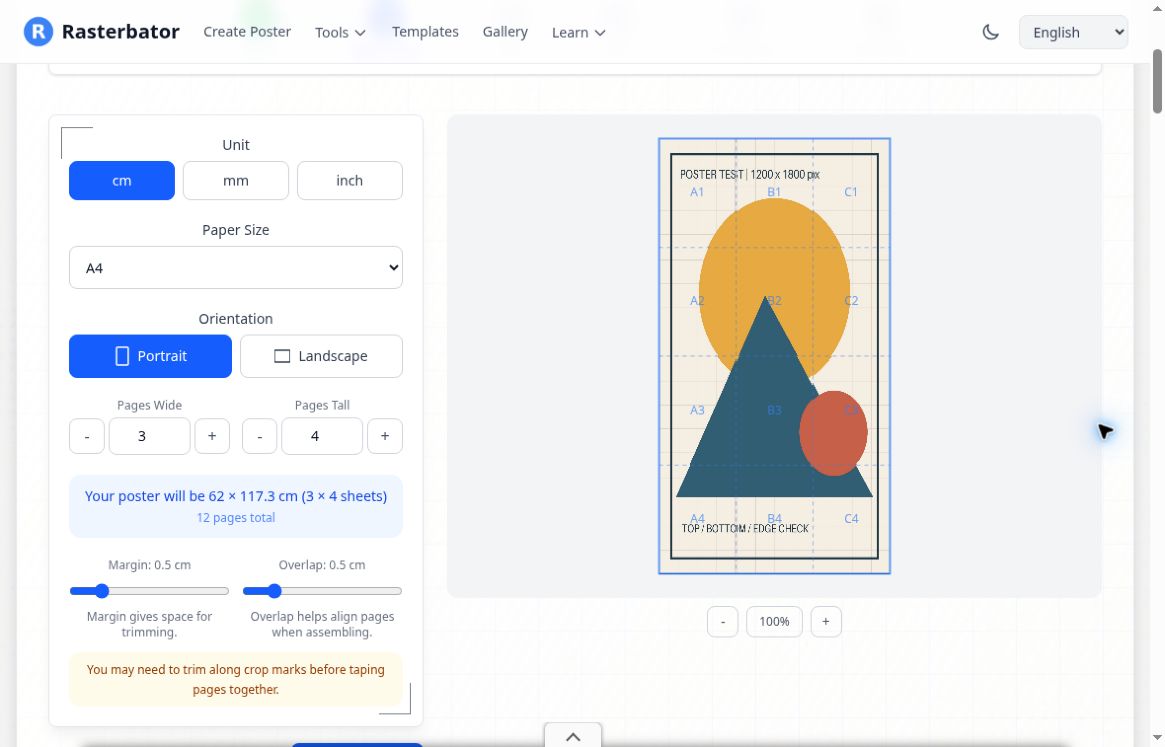
If the poster must fit a frame, wall space or measured template, start with its dimensions in centimeters or inches. Rasterbator.io's Exact size mode keeps the finished poster at your chosen dimensions and calculates the sheet layout from the paper, margins and overlap. Our 60 × 90 cm example used a 4 × 4 A4 layout. Measure a test print before relying on that scale for a pattern or plan.
Rasterbator.net accepts fractional sheet widths or heights and shows the resulting dimensions. That works well when you are choosing a rough wall size rather than fitting a measured frame.
For very large projects, rasterbator.net enforced a 1,000-sheet limit. Rasterbator.io supports up to 2,500 pages for Original Image and all effects, while recommending 1,000 pages or fewer. Rasterbator.org's tested grid controls stopped at 20 × 20, or 400 pages.
Keep the photo or add a graphic effect
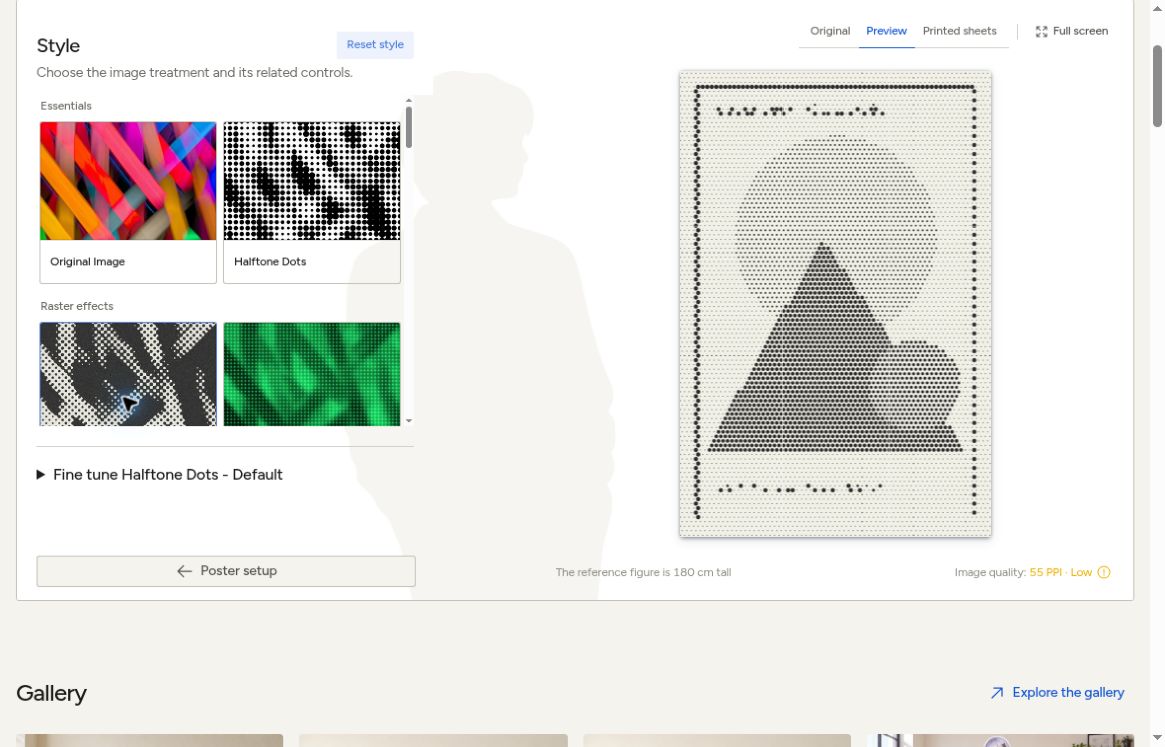
For photos, diagrams and lettering, start with Original Image in rasterbator.io, No effects in rasterbator.net, or Plain Tile in rasterbator.org. We found no artistic-effect selector in blockposters.com or blockposter.net.
For a deliberately stylized wall poster, rasterbator.net offers 13 presets including No effects. Rasterbator.org offers 11 styles, including lines, hearts and ASCII art. Rasterbator.io includes Halftone Dots, Blueprint Lines, Image Dithering and CMYK Halftone alongside Original Image.
Print one tile at 100 percent first
A 1,200-pixel-wide image enlarged to 60 cm has about 51 pixels per inch. Increasing an export DPI setting does not restore missing detail. Before spending paper and ink on the whole poster:
- Match the PDF paper size and orientation to your printer settings.
- Select Actual Size or 100%, with one PDF page per sheet. Turn off Fit or automatic shrinking.
- Print a tile containing fine text, an important edge or a measurable feature.
- Check sharpness, scale, clipping and overlap, then print the remaining pages.
See our image resolution guide, Actual Size guide and assembly guide for those steps.
Frequently asked questions
Can I download the tiles as separate images?
Rasterbator.io exports a tiled PDF. Rasterbator.org's interface also offers a JPG ZIP download and a preview image. We did not inspect the ZIP contents. For printing, PDF keeps the tiles together in one document.
If you are leaving BlockPosters.com because of its upload allowance, watermark, or width menu, see our Block Posters alternatives guide. It looks at those limits and the assembly controls in more detail.
Try the RasterbatorAbout this comparison
File limits, sizing controls, and published policies were checked on October 1, 2026. Browser tests covered file acceptance, sizing controls and previews. Small projects reached download-ready screens in rasterbator.io, rasterbator.net, rasterbator.org and blockposter.net; Block Posters was checked through preview only. No paid option was purchased. The competitor checks do not establish output-file quality, maximum-size export reliability or physical printing accuracy. Rasterbator.io's supported formats, input limits, sizing and PDF geometry are also covered by the project's own validation. For any tool, a test tile is still the best way to check your printer settings and the detail in your chosen image.